USB
Status
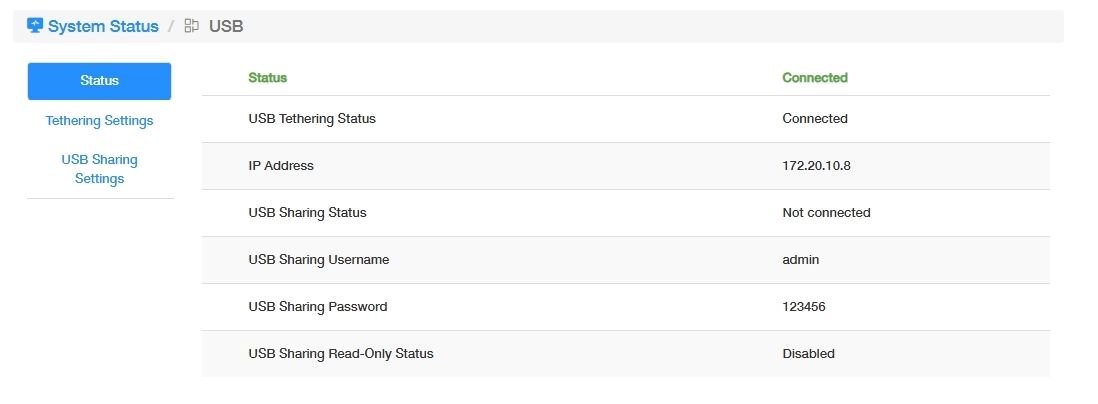
- USB Tethering Status: Shows whether USB tethering is connected and active.
- IP Address: Displays the IP address assigned to the USB tethering connection.
- USB Sharing Status: Shows whether USB storage sharing is enabled.
- USB Sharing Username: The username required to access the shared USB storage.
- USB Sharing Password: The password required to access the shared USB storage.
- USB Sharing Read-Only Status: Shows whether the USB storage is set to read-only access.
Tethering Settings
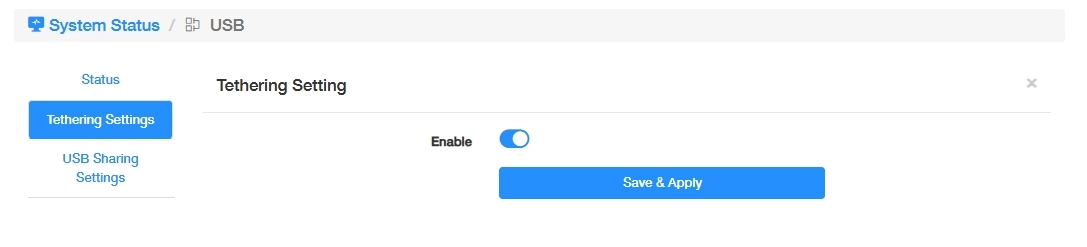
USB Tethering allows the router to access the Internet through a mobile device connected via USB. You can decide to toggle on or off this function.
Note
You may also access this USB tethering settings through General Settings >> USB Tethering.
USB Sharing Settings
The router supports to store or share files/data via USB storage device.
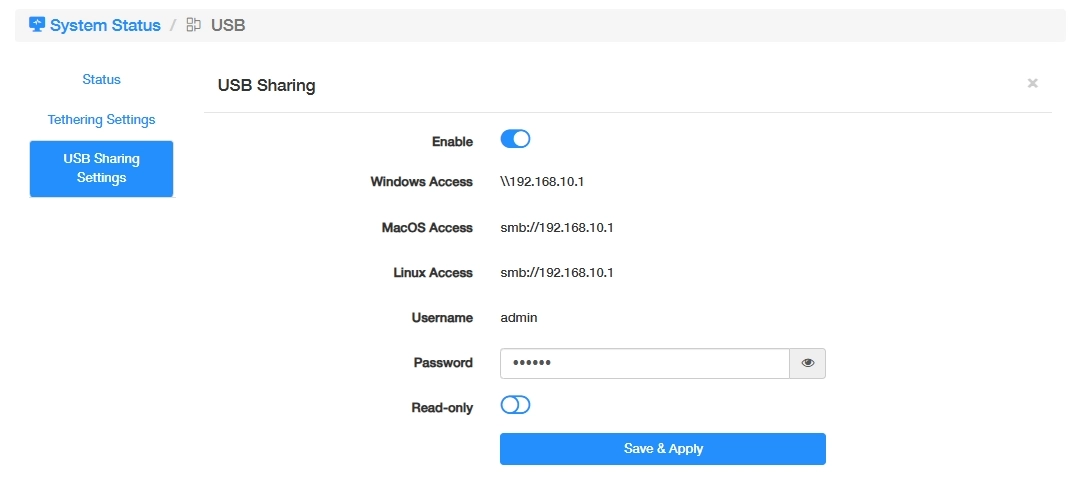
- Toggle on Enable.
- Note down the access link appropriate for your operating system.
- Set a password for the access to the USB storage.
- Toggle on Read-only if necessary. When enabled, users can only view or download files from the USB storage. Uploading, deleting, or modifying files is not allowed.
Note
You may also access this USB Sharing settings through Advanced Settings >> Network >> USB Sharing.