QoS
Note
Images of GS1024E are for reference only; details may vary by model.
QoS Basic
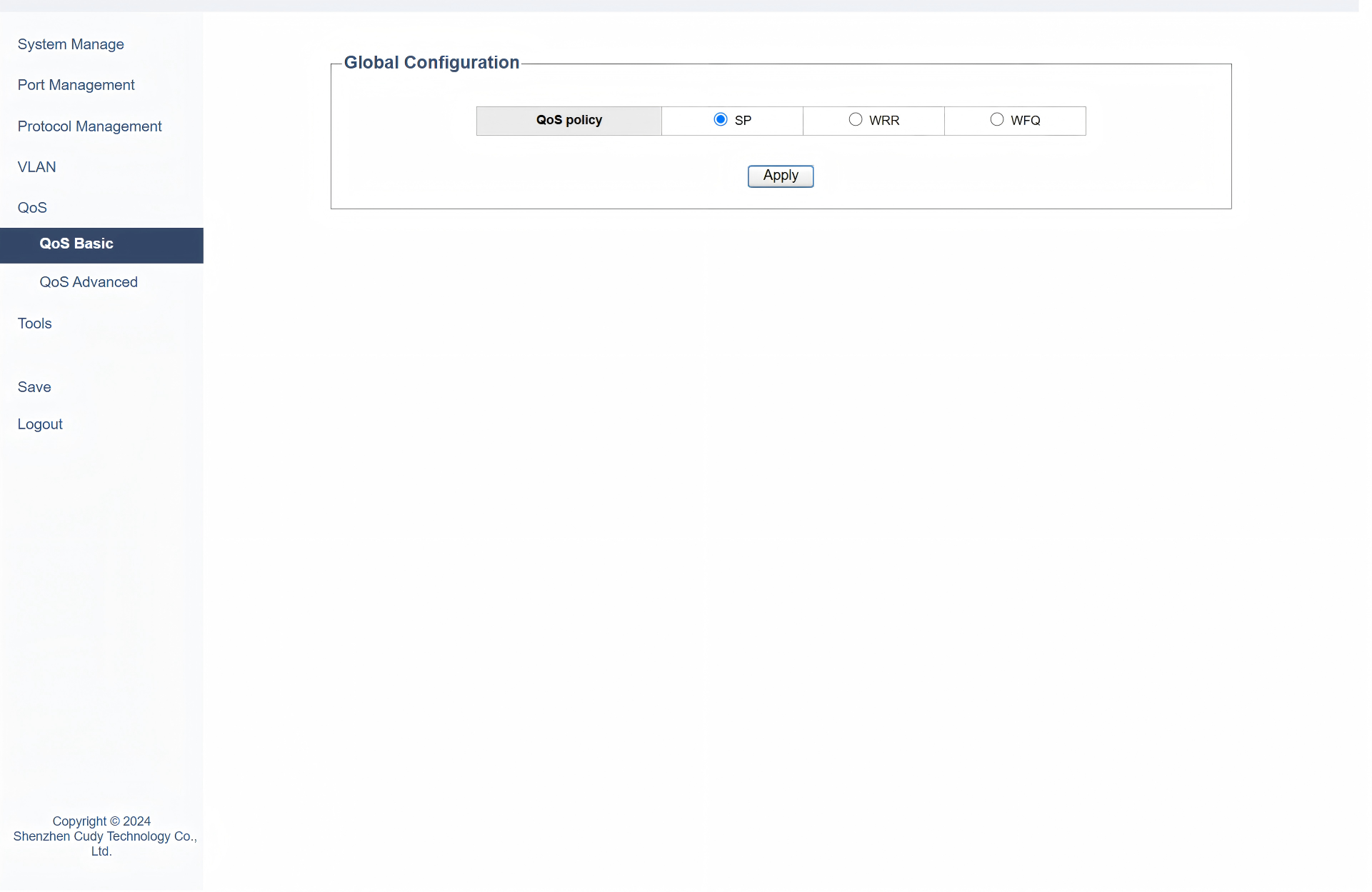
On the QoS >> QoS Basic page, you can configure basic QoS feature according to your need. Please select a QoS Policy and then finish the required configurations.
1) If selecting SP (namely, strict priority), just click Apply without any further configuration. The switch will process packets strictly based on their priority levels. It will always handle the highest-priority packets first, regardless of the amount of traffic in each queue.
2) If selecting WRR (namely, Weighted Round Robin), please configure the weight for each queue and then click Apply.
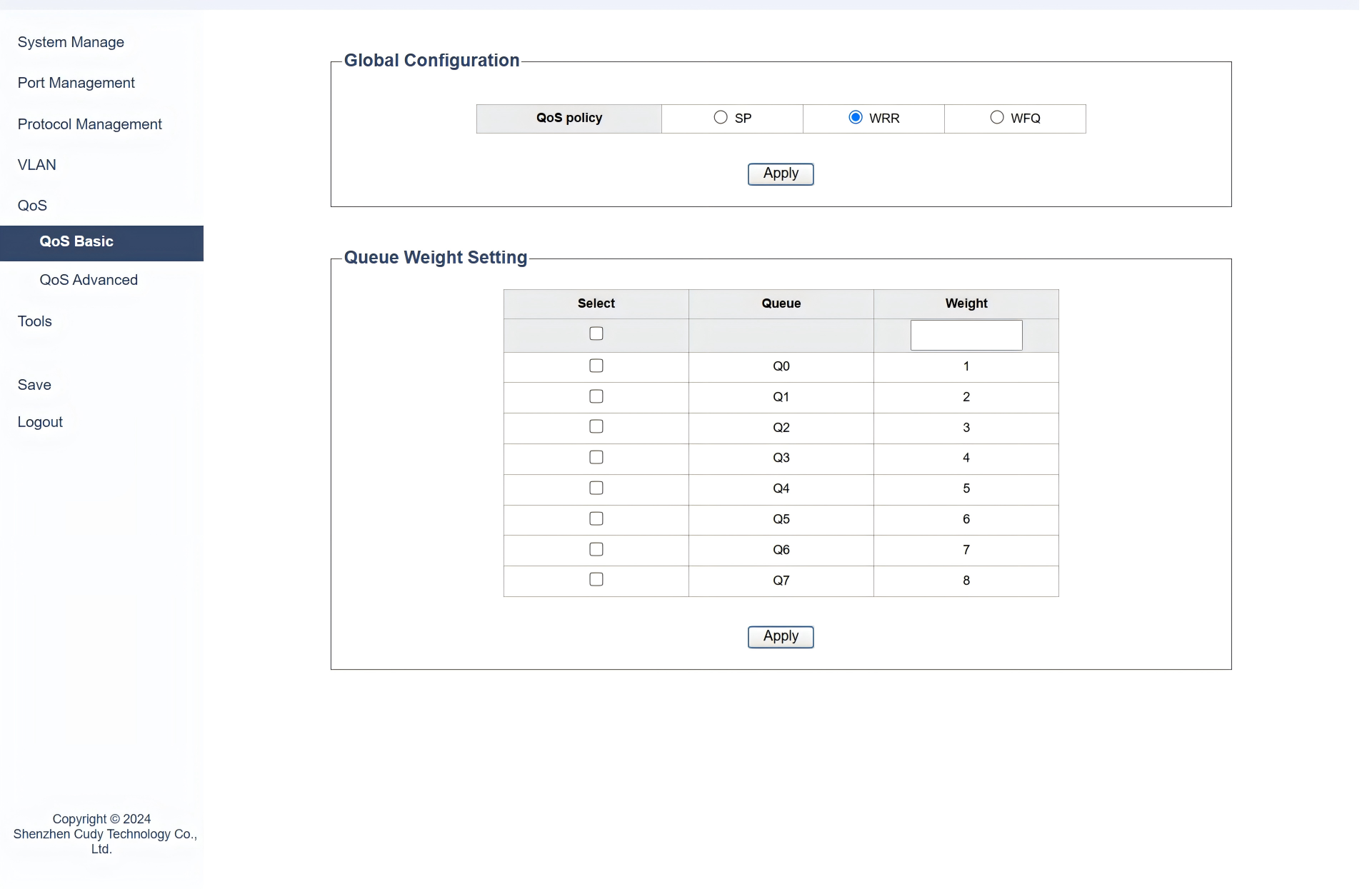
- Queue defines different groups of traffic.
- Weight determines the proportion of bandwidth allocated to each queue based on its importance.
For example, you can set the weight of queue 1 to 10, queue 2 to 20, and queue 3 to 30, which means queue 2 will get twice the bandwidth of queue 1.
It is suitable when you want to allocate different amounts of bandwidth to different types of traffic in a fair manner.
3) If selecting WFQ (namely, Weighted Fair Queuing), please configure the weight for each queue in different traffic classes and then click Apply.
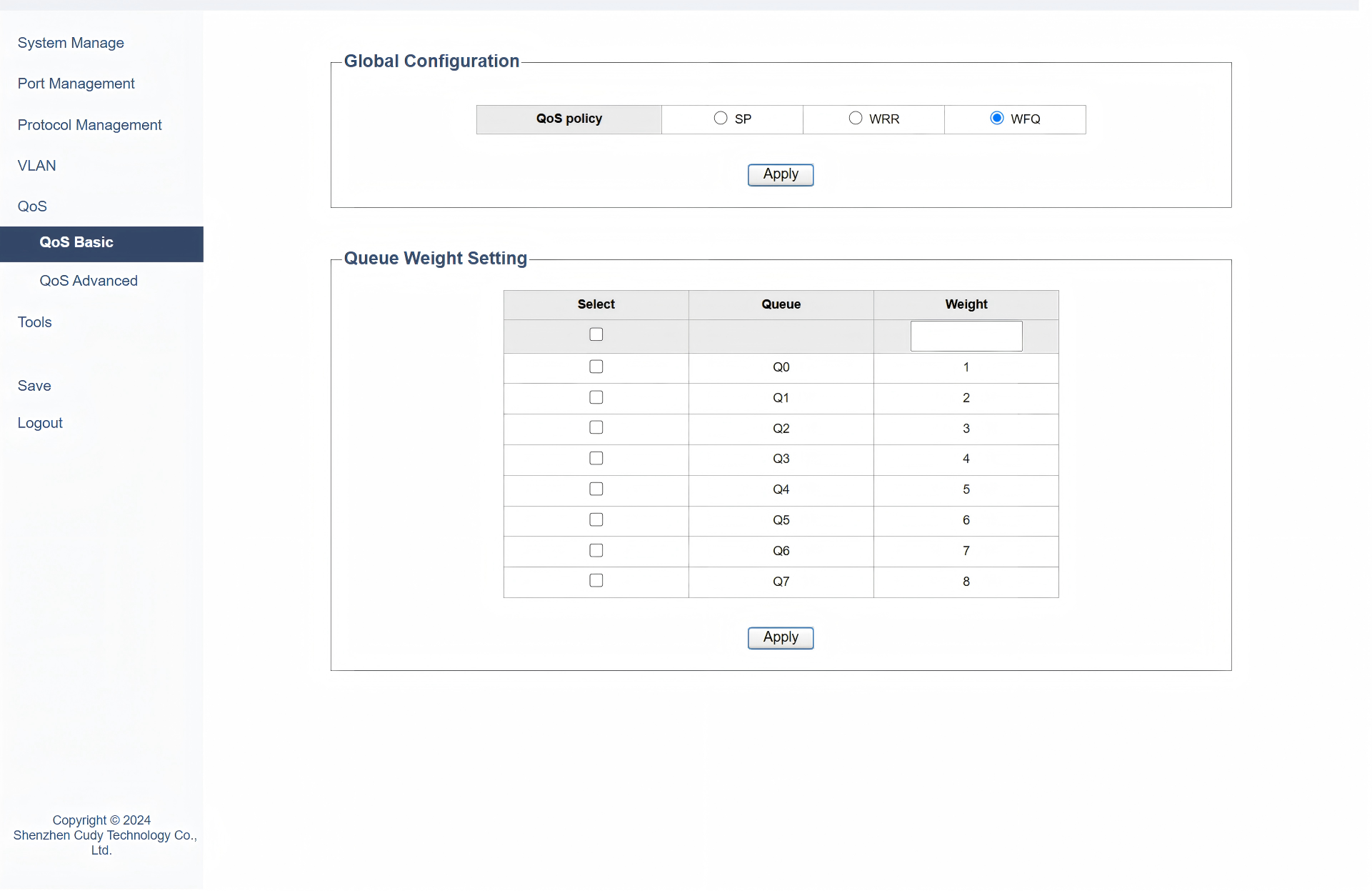
- Queue defines different flows of traffic.
- Weight allocates bandwidth fairly among these flows based on their importance.
For example, you can define a class for voice traffic and assign it a higher weight, and a class for data traffic and assign it a lower weight.
It is useful when you have multiple types of traffic and want to ensure that each type gets a fair share of bandwidth.
QoS Advanced
On the QoS >> QoS Advanced page, you can configure advanced QoS feature according to your need. Please select a QoS mode and then finish the required configurations.
- Port_based mode prioritizes traffic based on the ingress port of the data flow. It is ideal for scenarios where specific ports are dedicated to certain types of traffic, such as VoIP phones or critical servers. For example, in a small office network, you can set a higher priority for the port connected to VoIP phones.
- Based on 802.1p mode prioritizes traffic based on the 802.1Q Tag's PRI field in the data frame. It is suitable for VLAN environments where different types of traffic are tagged with different VLAN priorities. For example, in a campus network, you can set higher 802.1p priorities for voice VLANs to ensure they get prioritized.
- Based on DSCP mode prioritizes traffic based on the DSCP value in the IP packet header. It is useful in networks that use IP-based QoS policies. For example, in a corporate network, you can configure the switch to prioritize VoIP traffic (DSCP 46) and video conferencing traffic (DSCP 34) accordingly.
1) If selecting Port_based mode, please configure the parameters including port, priority and its queue. Then click Apply.
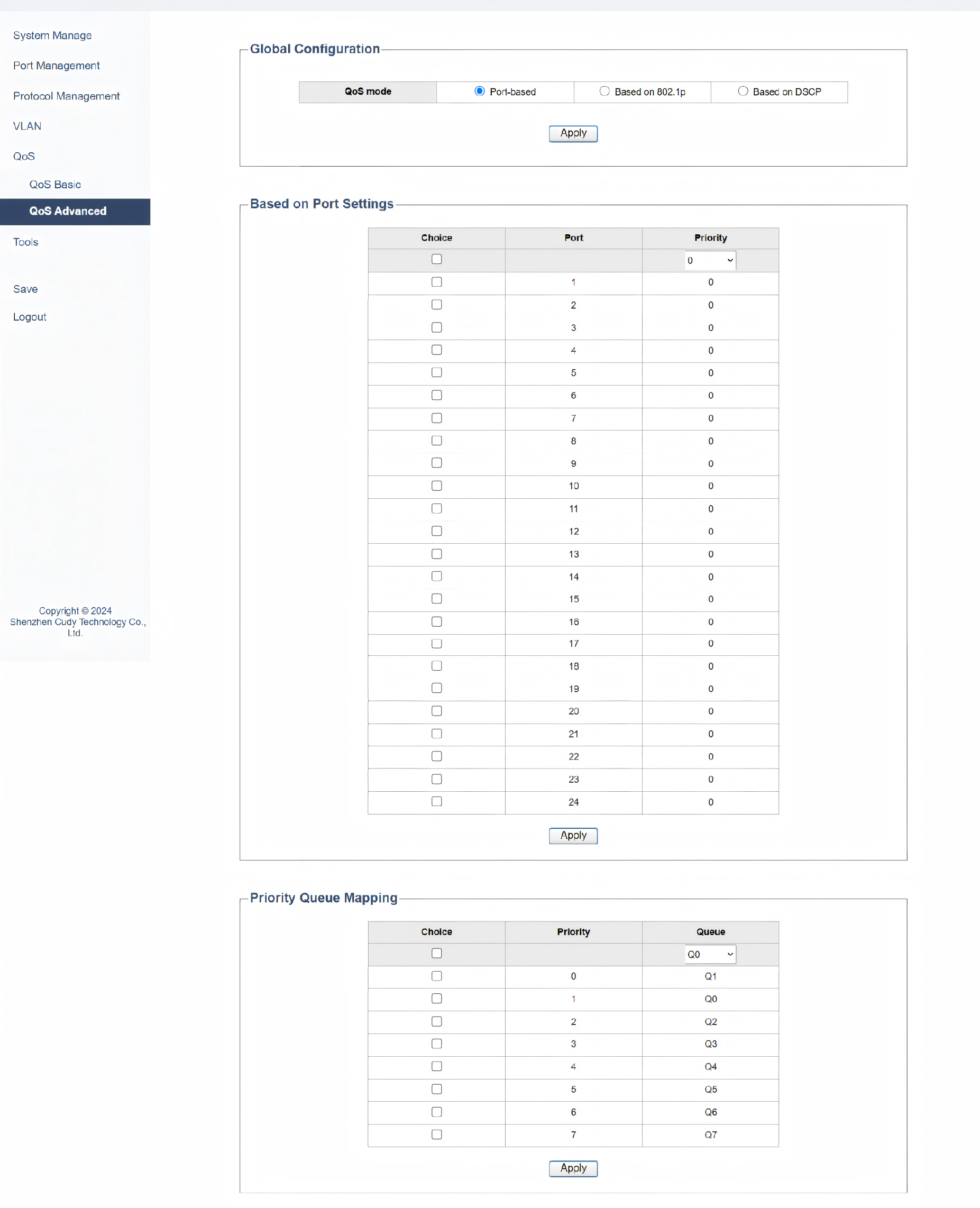
- Port: Select the specific port you want to configure.
- Priority: Assign a priority level to the selected port. Higher numbers typically indicate higher priority. Higher priority traffic will be processed before lower priority traffic in the same queue.
- Priority Queue Mapping: Map the assigned priority to a specific transmit queue. This determines which queue the traffic will be placed in for processing.
- Queue: Choose the transmit queue (e.g., Q0-Q7) where the traffic from the selected port will be placed.
2) If selecting Based on 802.1p mode, please configure the Priority Queue Mapping parameters. Then click Apply.
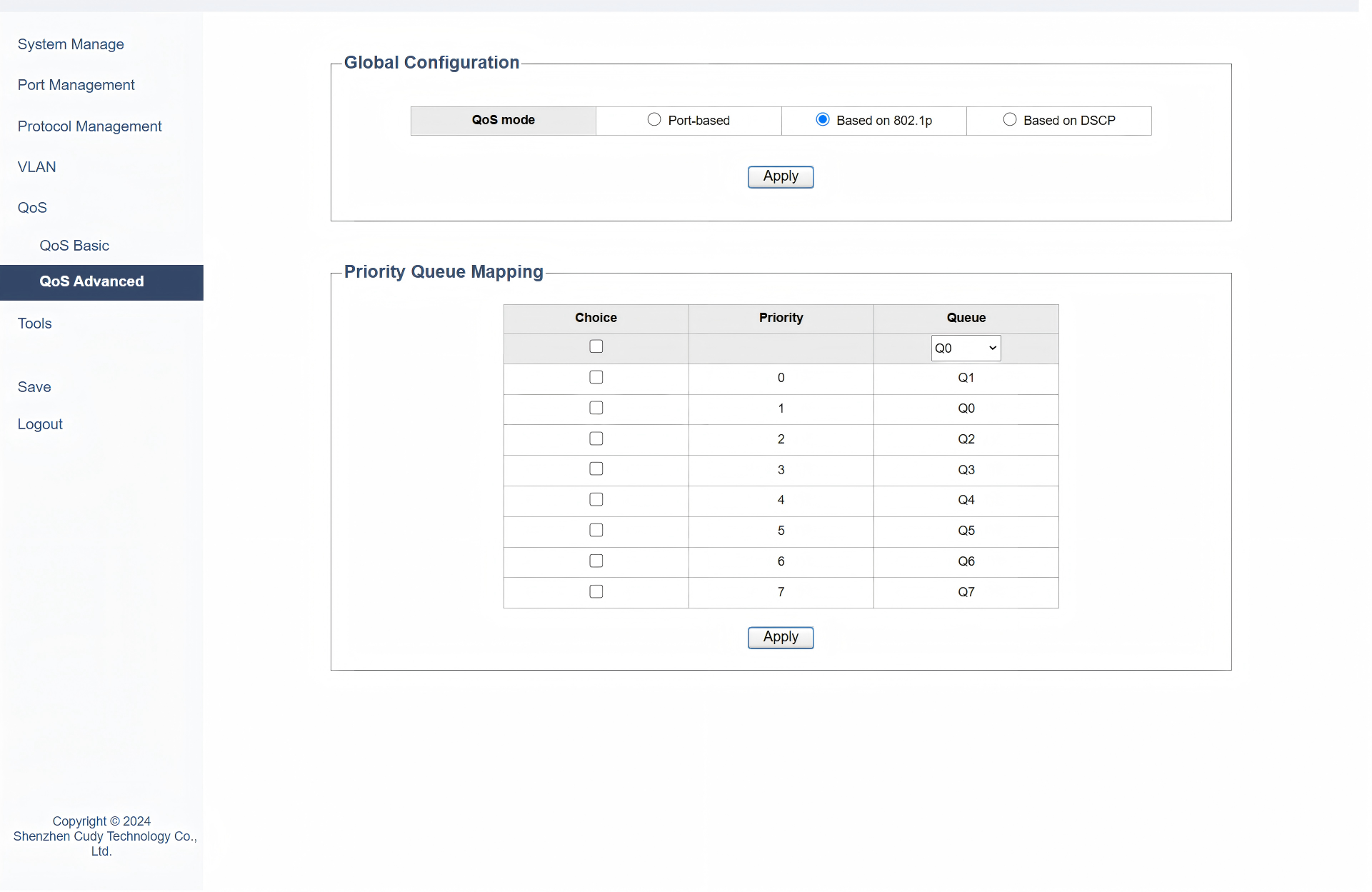
- Priority Queue Mapping: Map the 802.1p priority values (0-7) to specific transmit queues. This ensures that traffic with different 802.1p priorities is handled accordingly.
- Priority: Assign a relative priority level to each 802.1p priority value. This helps in determining the order of processing within the same queue.
- Queue: Map each 802.1p priority value (0-7) to a specific transmit queue (e.g., Q0-Q7). This determines which queue will handle traffic with that 802.1p priority.
3) If selecting Based on DSCP mode, please configure the parameters including DSCP, priority and its queue. Then click Apply.
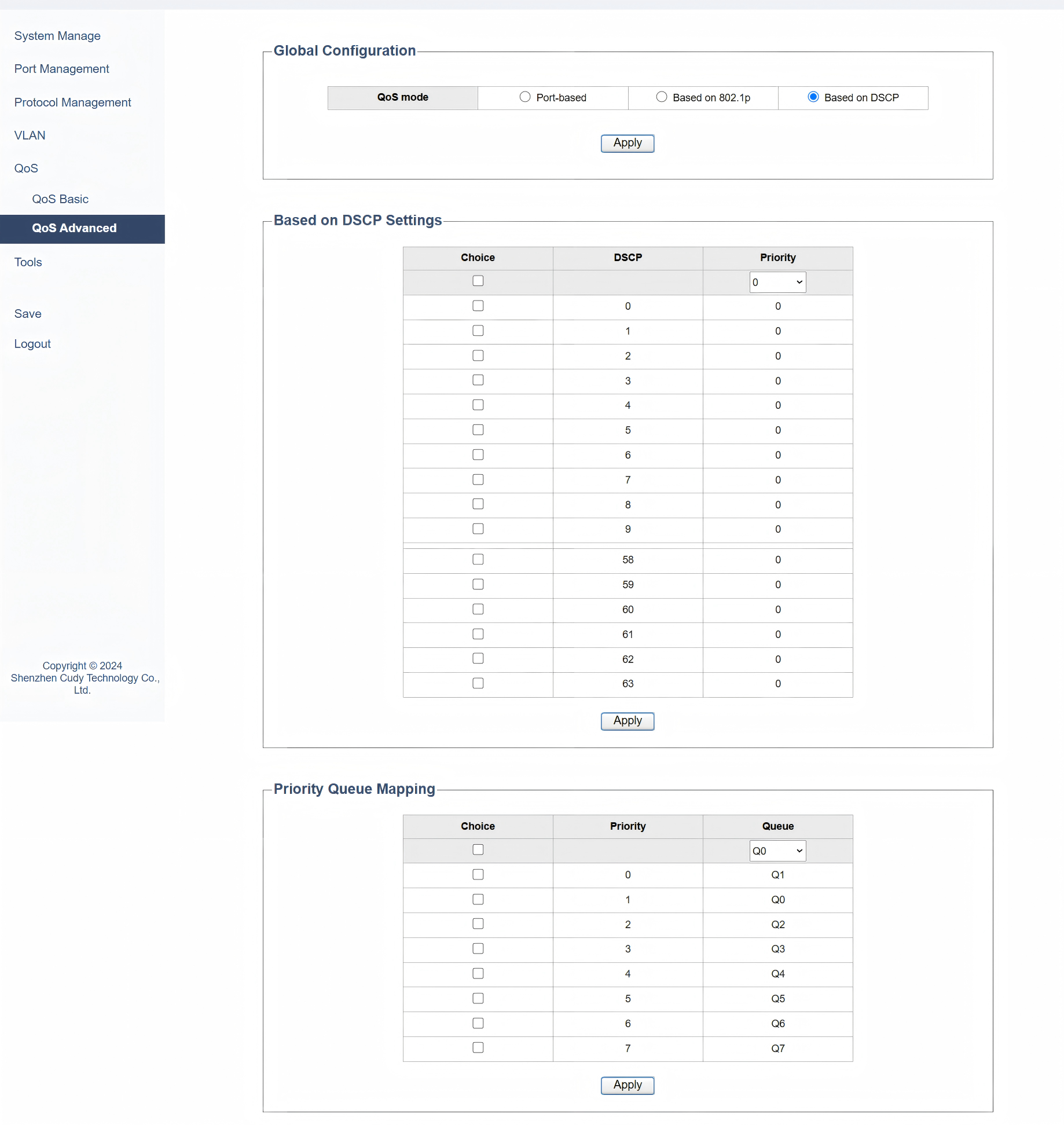
- DSCP: Identify the DSCP value (0-63) of the traffic you want to prioritize.
- Priority: Assign a priority level to the identified DSCP value. This helps in determining the order of processing within the same queue.
- Priority Queue Mapping: Map the assigned priority to a specific transmit queue. This ensures that traffic with different DSCP values is handled according to their priority levels.
- Queue: Map each DSCP value (0-63) to a specific transmit queue (e.g., Q0-Q7). This determines which queue will handle traffic with that DSCP value.