Overview
Package Content
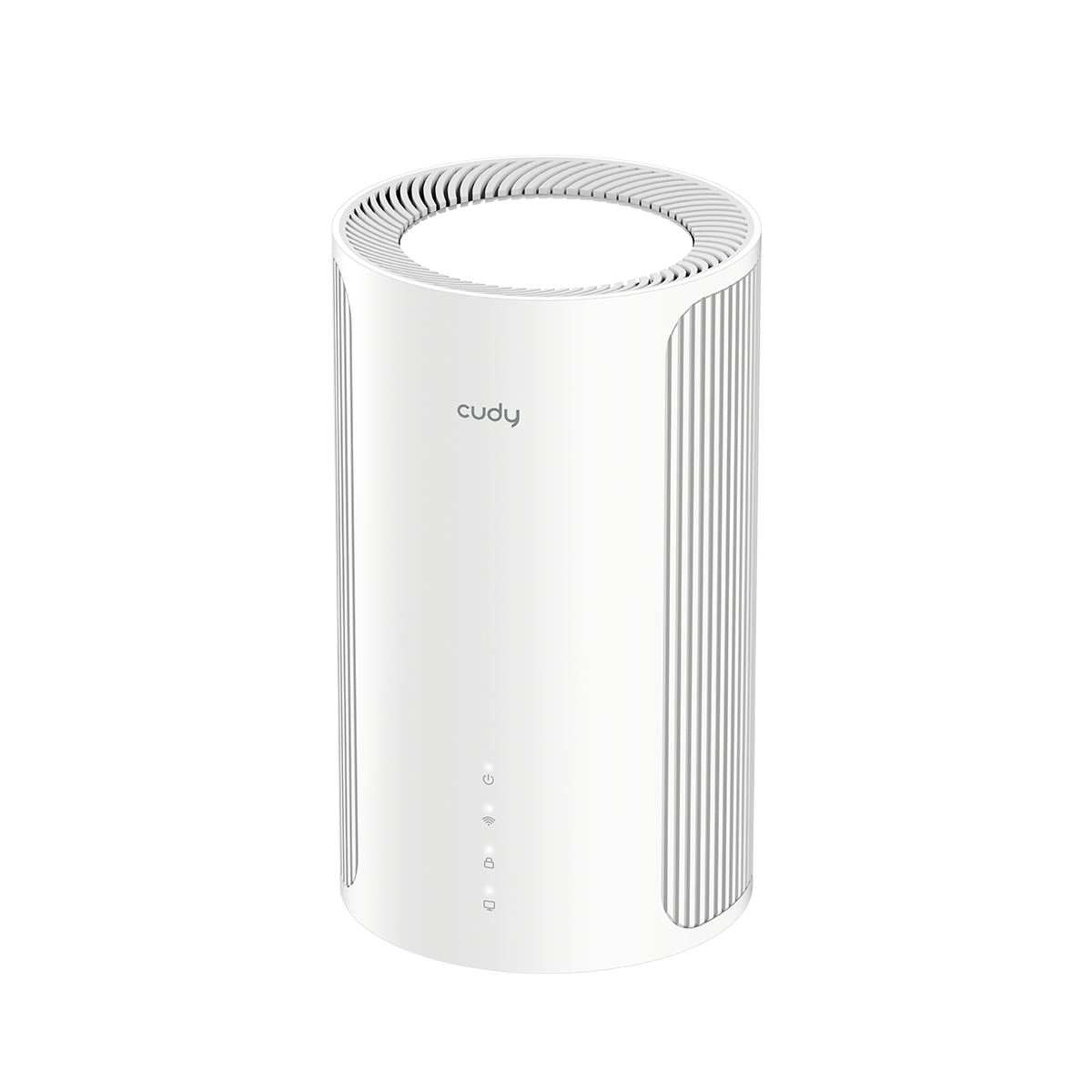
Front Panel
| LED Status | Indication for Main Mesh | Indication for Satellite Mesh | |
|---|---|---|---|
 (System) |
Blink Red | System is initializing. | |
| Solid Red | System has booted up, but without Internet. | ||
| Solid White | System has booted up, and connected with the Internet. | ||
 (Wi-Fi) |
Off | Wi-Fi Band is disabled. | |
| Solid On | Wi-Fi Band is enabled. | ||
| Blink | In the WPS process. | ||
 (Mesh) |
Off | No satellite Mesh connected to it. | Not connected to the main Mesh. |
| Blink White | Mesh units are pairing. | Connecting to the main Mesh. | |
| Solid White | Satellite Mesh has connected to it. | Connected to the main Mesh with strong signal. | |
| Solid Orange | / | Connected to the main Mesh with medium signal. | |
| Solid Red | / | Connected to the main Mesh with weak signal. | |
| Blink Red | / | Connected to the main Mesh before, but currently offline. | |
 (LAN) |
Off | No LAN Port(s) is connected. | |
| On | LAN Port(s) is connected. | ||
Back Panel
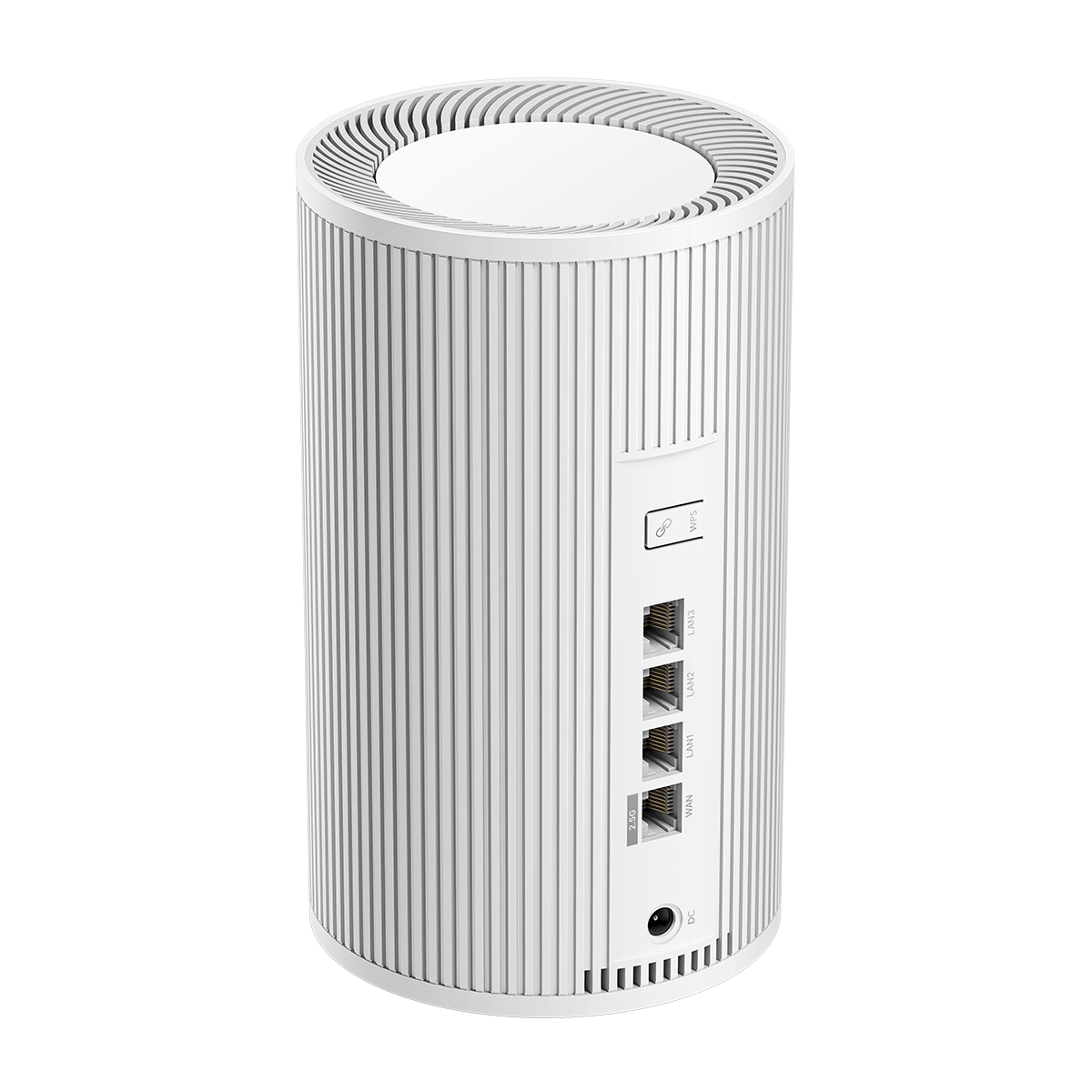
| Interface | Instruction |
|---|---|
| DC Power Jack | Plug the provided power adapter to supply power. |
| WAN Port | Connect to the Internet. |
| LAN 1/2/3 Port | Connect to an 2.5G Ethernet device or other Mesh unit(s). |
| WPS Button | Press this button on each Mesh unit(s) simultaneously for an instant pairing. Press for 1 second to authorize WPS connection. |
| RESET Button | Press for 5 seconds to restore factory defaults. |