Cellular
Status
On System Status >> Cellular >> Status/Statistics section, you can check the current status and statistics of the cellular network.
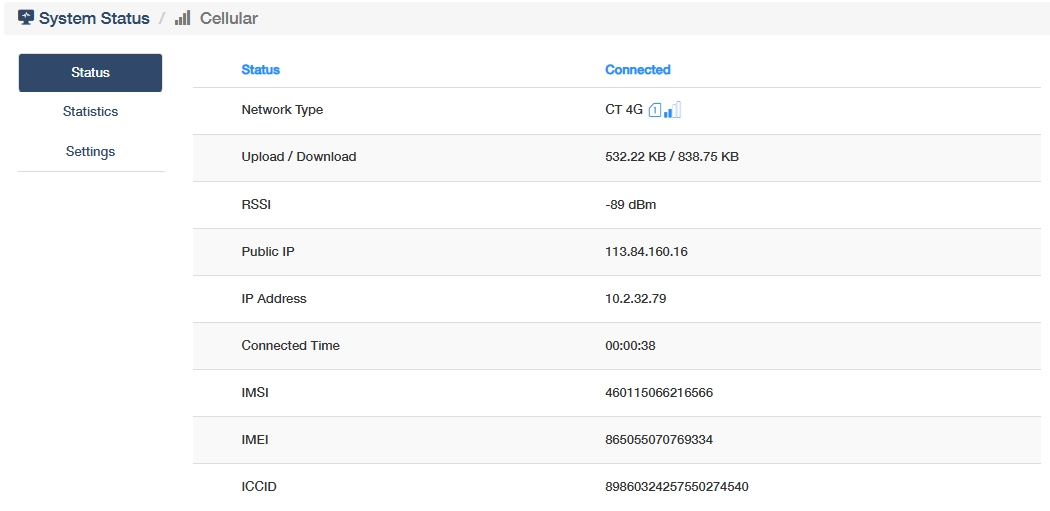
- Network Type: The cellular technology standard in use (e.g., LTE, 5G).
- Upload/Download: Data transfer speeds for sending/receiving data.
- RSSI: Received Signal Strength Indicator, reflecting signal quality (closer to 0 is stronger).
- Public IP: The external IP address assigned by the carrier for internet communication.
- IP Address: The local/internal IP of the router within the cellular network.
- Connected Time: Duration since the router established the cellular connection.
- IMSI: International Mobile Subscriber Identity, unique subscriber identity stored in the SIM card.
- IMEI: International Mobile Equipment Identity, unique hardware identifier for the router.
- ICCID: Integrated Circuit Card Identifier, SIM card serial number.
- Mode: Current operational mode.
- MCC/MNC: Mobile Country Code and Mobile Network Code, identifying the carrier/country.
- Cell ID/PCID: Cell ID is Physical cell tower identifier, and PCID physical cell identity.
- Band/UL Bandwidth: Frequency band and uplink bandwidth for data transmission.
- DL Bandwidth: Downlink bandwidth allocated by the carrier for receiving data.
- RSRP: Reference Signal Received Power, Average power of LTE/5G reference signals.
- RSRQ: Reference Signal Received Quality, Signal quality ratio of RSRP to total interference/noise.
- SINR: Signal-to-Interference-plus-Noise Ratio, Measures signal purity by comparing useful signal to interference/noise.
-
CSQ: Command Signal Quality, Legacy metric for signal strength (0–31 scale), often used in 2G/3G.
-
Current Traffic:Real-time data usage of the active cellular connection, to monitor immediate bandwidth consumption to detect anomalies.
- Monthly Traffic: Cumulative data usage within the current billing cycle, critical for cost control in metered plans.
- Total Traffic: Lifetime data transmitted/received since the router was deployed or reset. Long-term usage analysis for capacity planning and maintenance scheduling.
Settings
On the System Status >> Cellular >> Settings or General Settings >> Cellular page,you can configure the following cellular features.
APN
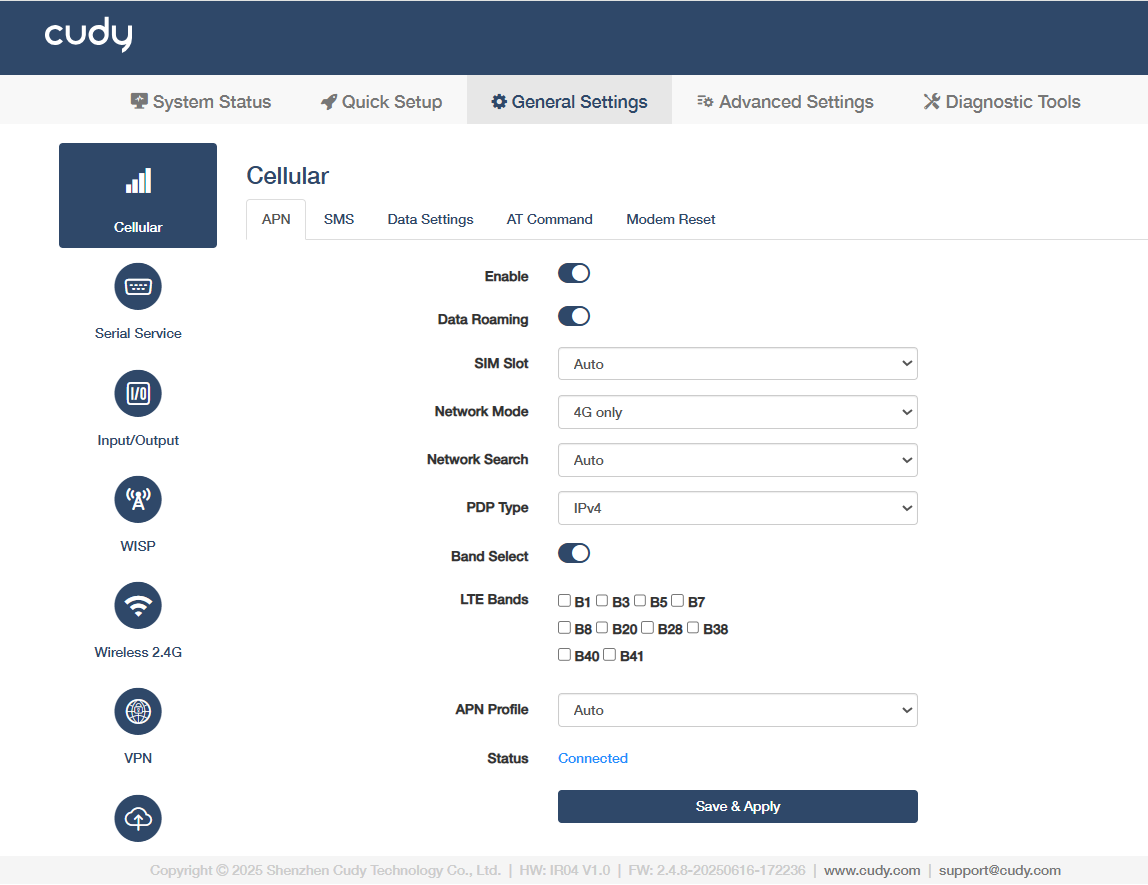
1) Enable the APN feature.
2) Enable the Data Roaming to allow your mobile device to connect to the internet or use cellular data when outside your carrier’s network coverage area, often involving additional charges.
3) Select a SIM Slot (physical compartment) to insert your SIM card and enable network connectivity. Auto is recommended for automatic detection.
4) Select a Network Mode of the router's cellular network. Auto is recommended for automatic detection.
5) Select a means of Network Search. Auto is for automatic scanning and connection; or Manual requires a click on Network Search and selection of your SIM card carrier and network operator.
6) Select the PDP (Packet Data Protocol) Type that defines the protocol used for data transmission in mobile networks (e.g., IPv4 or IPv4/IPv6).
7) Enable Band Select to allow manual selection of specific frequency bands for network connectivity, useful for optimizing signal strength or compatibility.
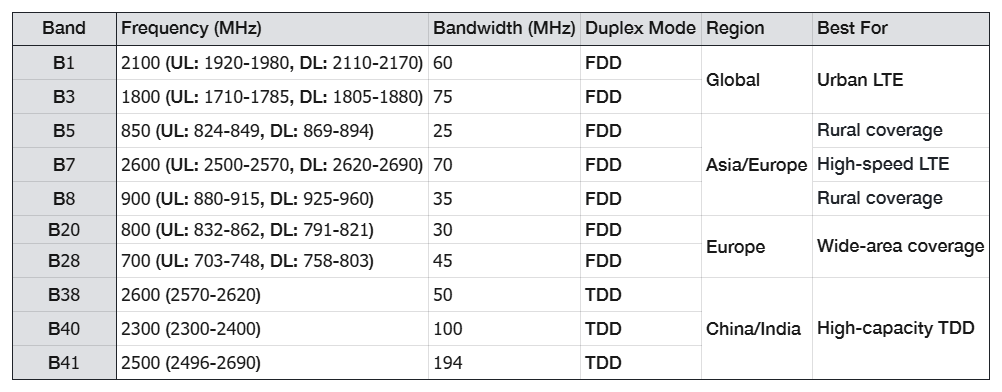
8) Select a specific frequency range allocated for LTE (4G) networks which vary by region and carrier for LTE Bands.
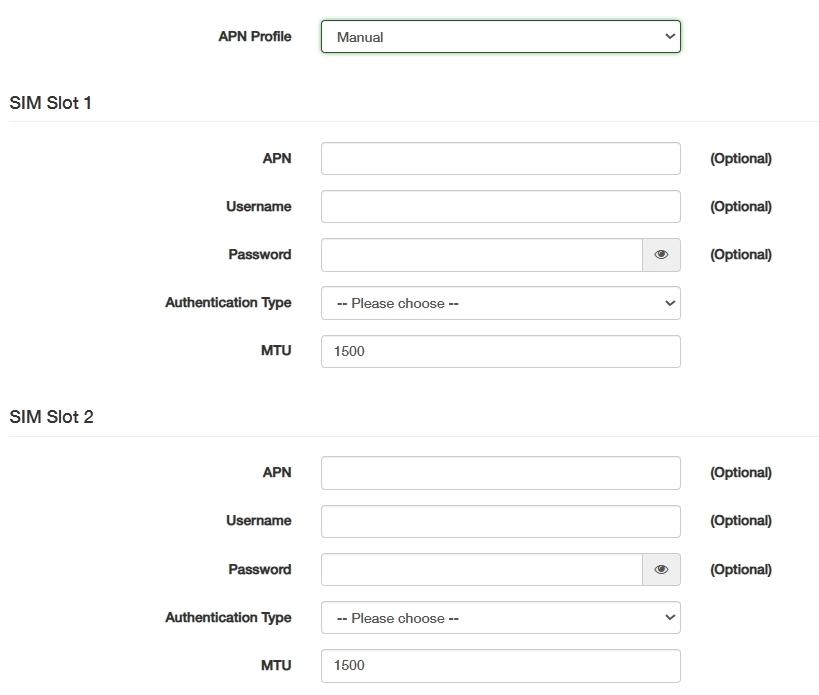
9) Configure APN Profile to connect the router to the carrier’s data network, either selecting Auto or consulting your carrier for the APN parameters and manually enter it.
10) Click Save & Apply to save and activate the new settings or changes. Displays the current state of cellular network connectivity, Connected or Disconnected.
SMS
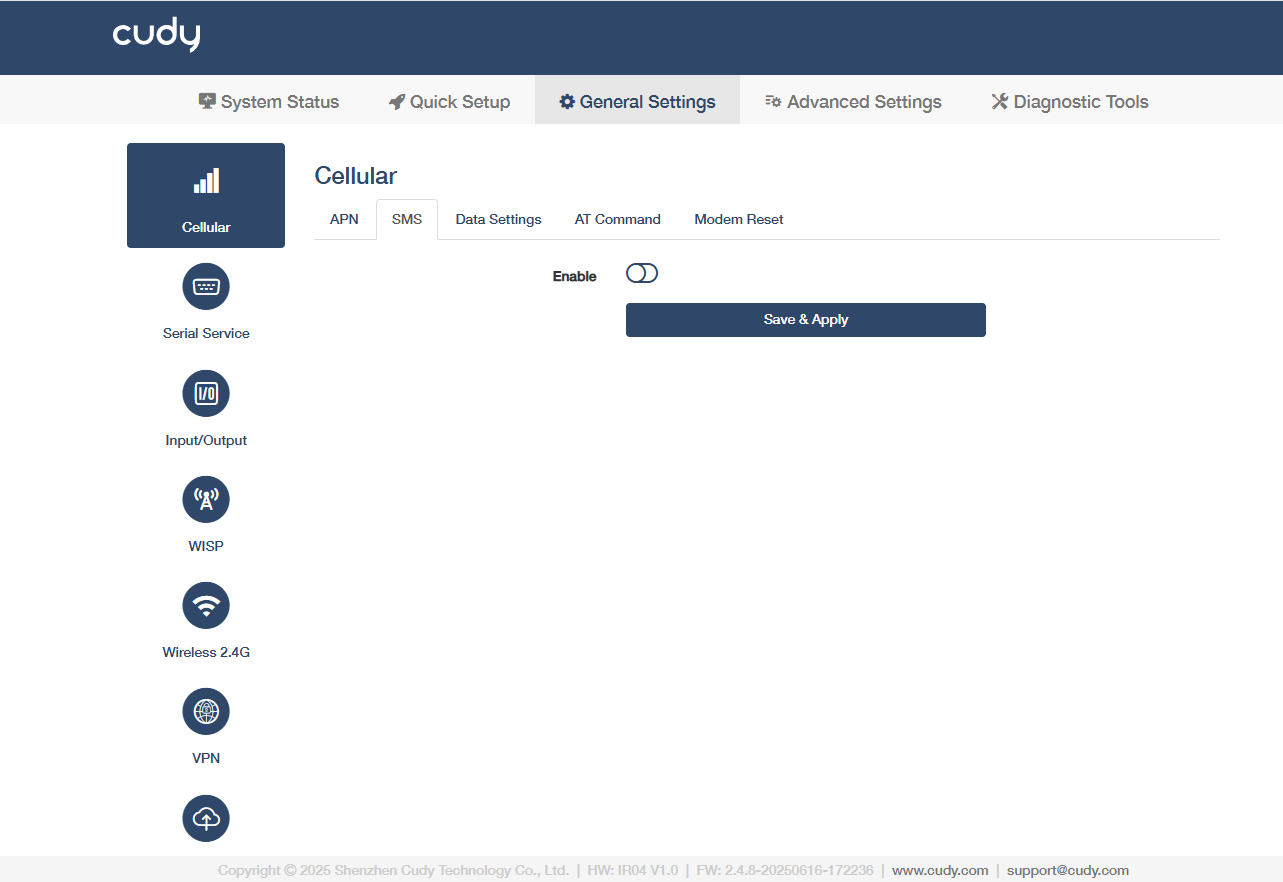
Click Enable and then Save & Apply to manage or monitor the router remotely by sending simple text commands or receiving automated alerts.
Data Settings
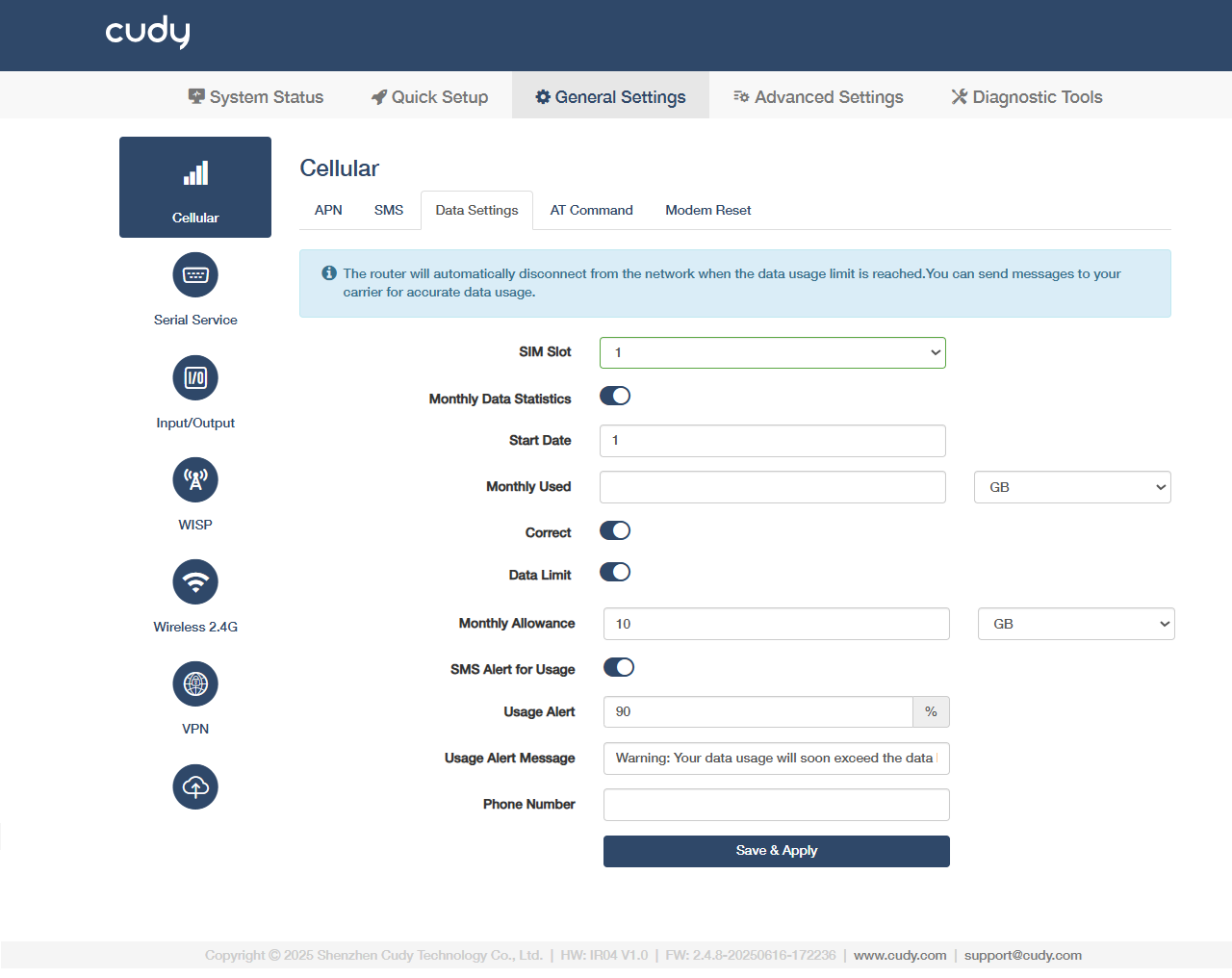
1) Select SIM Slot 1 or 2 for your settings.
2) Enable Monthly Data Statistics to tracks total data usage within the current billing cycle.
3) Set a Start Date to reset date for monthly data calculation. Enter a positive integer value.
4) Check Monthly Used for the amount of data consumed in the current cycle. If necessary, enable Correct to manually adjust the inaccurate data usage records.
5) Enable Data Limit to set the maximum allowed data per month; triggers actions (e.g., shutdown) when exceeded.
6) Set Monthly Allowance to limit the monthly total data allocated for the billing cycle (e.g., 10GB).
7) Enable SMS Alert for Usage to get SMS notifications when data reaches predefined thresholds.
8) Set the percentage-based triggers (e.g., 80%, 90%) as Usage Alert to activate alerts before reaching the data limit.
9) Customize Usage Alert Message content, or keep the default warnings.
10) Enter the recipient Phone Number for receiving usage alerts.
11) Click Save & Apply to save and activate the new settings or changes.
AT Command
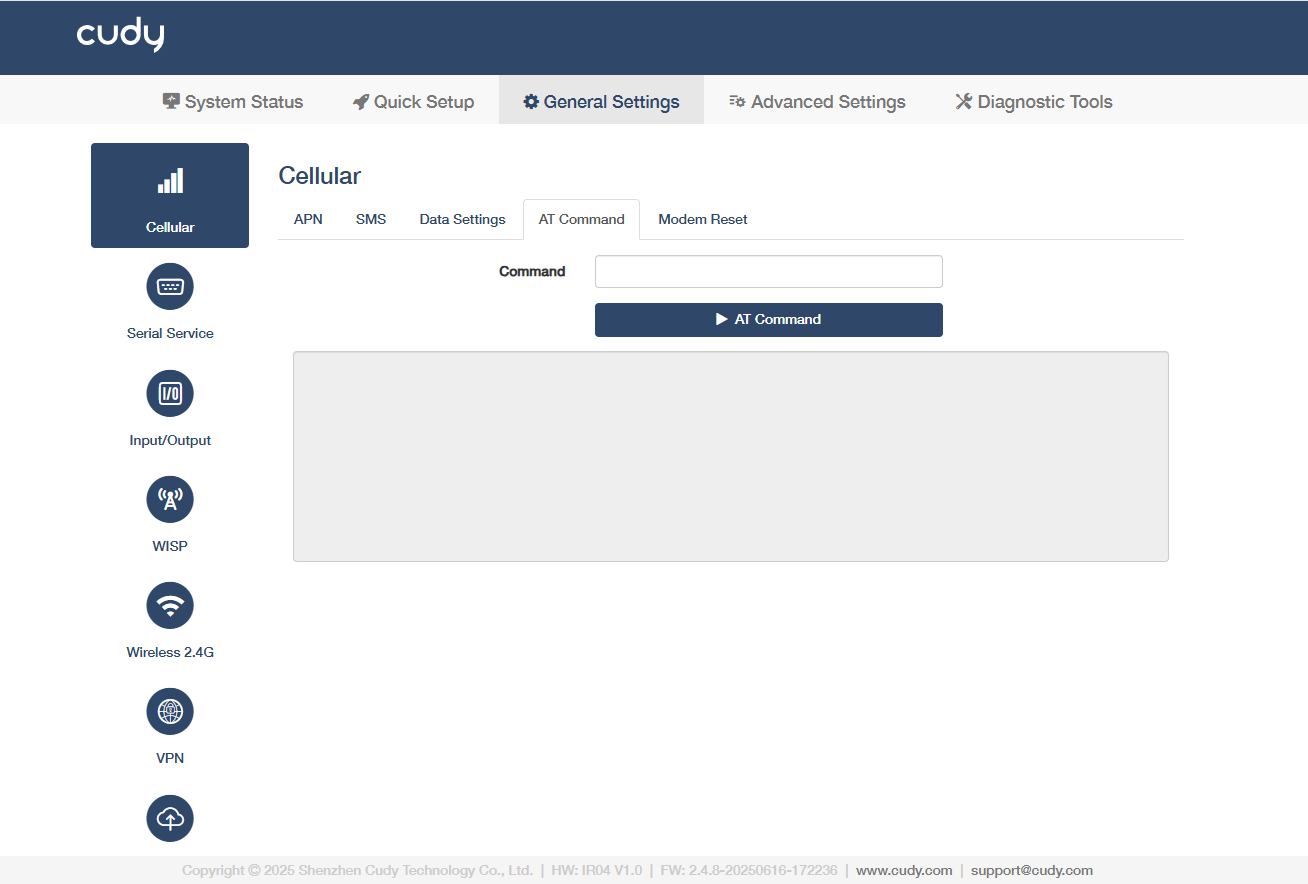
AT Commands are standardized text-based instructions (e.g., AT+CSQ) used to configure, diagnose, and control cellular modules (4G/5G) in industrial routers, enabling APN setup, signal checks, and data management.
Modem Reset
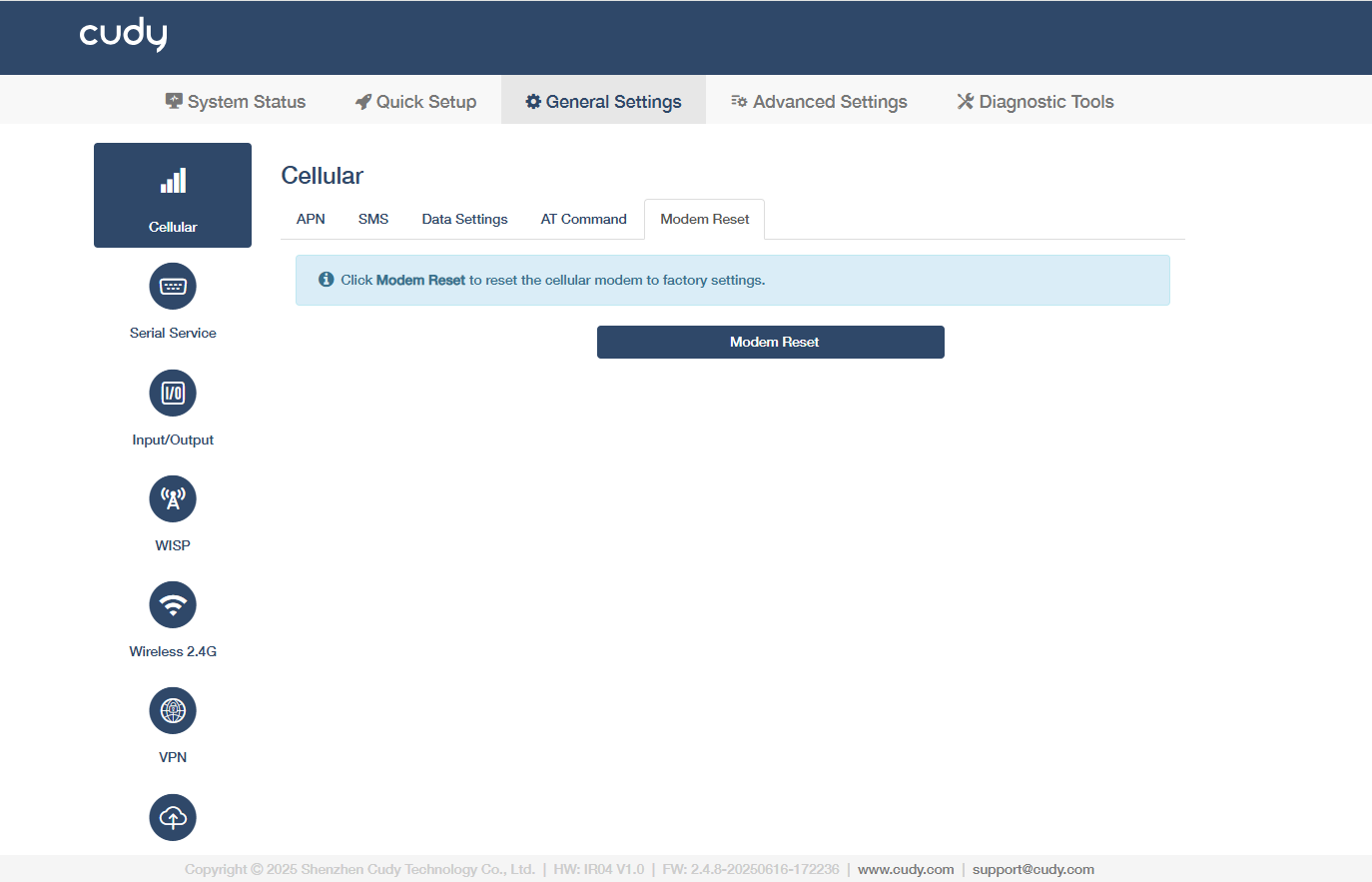
Click Modem Reset to reset the cellular modules (4G/5G) to factory settings, which may help to restore connectivity during network failures or configuration errors.